Try a small paint mixture and a digital color choice against the same sample, then compare the actions and results that matter to your child.
Two ways to explore a color choice
Mixing paint lets a child combine physical materials and see a new mark develop on paper. Choosing a color digitally lets the child select from colors offered on a particular screen and revise a choice through that interface. Both can support a conversation about color, but they involve different actions, materials and ways to undo a decision.
This comparison uses one concrete goal: a child wants a shade that looks close to a blue paper sample. In the paint activity, they test small amounts on scrap paper. In the digital activity, they choose among the colors actually available in a drawing program. The result depends on the paint, paper, display, lighting and the person's perception; neither format promises an exact match.
The physical trial also gives the child a chance to observe a change caused by adding material. A digital palette can instead offer ready-made choices without requiring the child to prepare each color. Some programs also provide controls for adjusting a chosen color, but a particular control must be confirmed in the program you use. These are different experiences, even when the final marks look similar.
A family may choose one format on one day and the other on another day. The comparison does not require buying new paint or an application. Work with materials already available and explain any limitations: “This program has three blues” or “Today we have only one blue paint”. Those facts make the child's choice easier to interpret.
Compare the practical differences
Preparation: paint requires an appropriate surface, water or other supplies specified by the product, and a place for the finished work to dry. Digital selection requires a charged device and a program with usable color controls. Handling: mixing paint may involve a brush or another tool, while a screen may be operated by touch, pointer or an accessibility input.
Revision: a digital program may offer undo or a new color choice, but the available controls differ between programs. Wet paint can sometimes be blended further; dried paint and paper may not return to their earlier state. Test the actual materials instead of promising that an action can always be reversed.
Cleanup and storage: paint may need protected surfaces and cleaning according to its label; digital work requires deciding where a file is saved, if it is saved at all. Visibility: a painted patch and a screen color are viewed under different conditions. A color that looks close on one device may appear different on another or when printed.
Before either activity
Choose a blue paper sample large enough to see. Place it where the child can inspect it comfortably without glare. Ask what the child wants to make: a close match, a noticeably different blue, or a picture that uses both. A creative choice does not need to match a sample unless matching is the agreed goal.
Check that the selected materials and setting suit the participants. Use paint intended for the activity and follow its age and safety instructions. Some children may prefer to avoid a texture or smell. If a visual color distinction is not accessible, adapt the task to another feature the child can perceive, such as an available shape or texture, rather than treating an inaccessible choice as a failure.
Examine the sample together before making marks. The child might describe it as “light blue” or “like my cup”. Ask which part of a patterned sample is the target. If the sample is shiny, tilt it slightly and observe how reflected light changes its appearance. Keep the sample in a comfortable position for the actual comparison.
The child can choose not to match at all. If they want a dark blue boat against a lighter paper background, the sample may be useful as a reference for contrast rather than a target. Agree on the purpose before asking which choice worked. A color that is different from the sample can be exactly right for that picture.
Prepare a small paint test
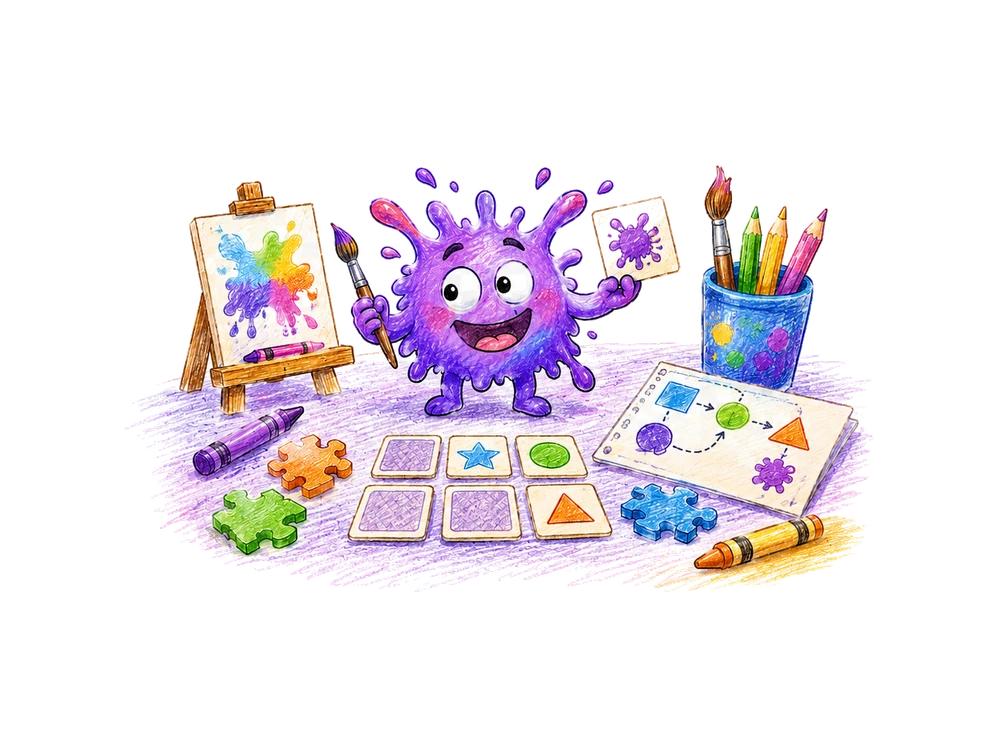
Protect the table and set out scrap paper, a brush, a palette or suitable mixing surface, and the paint colors you already have. A small amount of blue and a small amount of white can provide a comparison if those are the paints the child chooses. Keep separate areas for the original colors and the mixture so the child can see what was combined.
Invite the child to put a small blue mark on scrap paper. Then, in a separate area, combine a little blue and white and make another mark. Ask what they notice beside the sample. The exact appearance depends on the products and amounts; do not promise a particular shade. A child who does not want to touch paint can direct an adult to mix it.
Use separate small areas for the original blue, the original white and the mixture. The child can indicate where each should go. A clean piece of scrap paper next to the palette provides a place to test the mixture without changing the sample. Put a protective layer beneath the scrap if the chosen paint might pass through.
If the child wants to make a comparison after the paint dries, leave the marks in a safe location and return later. You can also talk about the wet patch now and record that it was wet. Do not assume that every product dries in the same way or time. The label and the actual conditions are more useful than a universal estimate.
Change a mixture deliberately
Suppose the child says the mixture looks lighter than the sample. Ask what they want to try next. They might add a little more blue to a fresh portion or make a new mixture. Keep the previous test visible if they want to compare results. A fresh portion makes it easier to remember which amount changed, though the activity does not require precise measurements.
Use a separate brush or clean it as appropriate before returning to an original color, so an accidental transfer does not change the stored paint. If colors mix unintentionally, describe what happened: “There was white on the brush when it went into the blue”. The child can decide whether to use the new mixture; there is no need to treat an unexpected mark as a ruined activity.
A practical sequence uses two small portions: put blue in both, then add a little white to only one. Make a patch from each portion and place the marks near the sample. Ask what the child notices. If the two portions were not similar to begin with, acknowledge that limitation; this informal trial is a way to look closely, not a laboratory measurement.
If the child wants to repeat a preferred mixture later, they can describe what was used: “mostly blue with a little white”. This may help recreate a similar trial but does not guarantee the same appearance. Different amounts, a dirty brush or a different paper can alter the result. Save a small test patch if the child wants a visual reference.
Prepare a digital color choice
Open a drawing program the family already has and inspect its actual color controls. Some offer a row of preset colors; others let a user adjust a color in additional ways. Do not assume that a particular slider, color picker or undo button exists. Choose a blank area and show the child how a mark is made and how another color can be selected in that program.
Place the paper sample near the screen if both can be seen comfortably. Let the child choose a blue offered by the program and make a patch. Ask “How does this look next to the sample?”. If another option seems closer, the child may make a separate patch or use the program's available revision control. Keep the comparison visible when that helps the conversation.
Before asking the child to select, inspect whether the program shows a fixed palette or another control. Demonstrate only the controls that are present. A child might choose a blue square and draw a short line; another might use a pointer or ask an adult to activate the choice. Confirm the selected option before making a mark.
If the display is difficult to see because of glare, change the viewing position or lighting if the participants can do so safely. Record any change if it matters to the comparison. Do not change device accessibility or display settings without checking the user's preference. A selected digital color remains a particular program choice under particular display conditions.
A dialogue for each format
Adult: “Would you like the blue to look close to this paper, or different from it?”. Child: “Close”. With paint, the child chooses a blue and makes a test patch. Child: “This one looks dark”. Adult: “Compared with the sample?”. Child: “Yes”. The adult offers a small amount of white as one possible experiment, without claiming in advance that it will produce an exact match.
On the screen, the adult asks the same goal question. The child selects one blue and then another. Child: “The second one looks closer”. Adult: “Would you like to use it for the picture?”. If the child prefers the first color for another reason, accept that choice. A tool's usefulness includes whether the child can comfortably operate it.
A different child may say “I like the first blue because it reminds me of the sea”. The adult can respond: “Would you like to use that color even though we were comparing it with this paper?”. If the child agrees, the activity's goal has changed from matching to selecting a preferred color. The earlier comparison still helped the child make a decision.
If the child says “You choose”, clarify whether they want a suggestion or want the adult to decide. An adult might suggest testing both patches and ask the child to point to a preference. The child can also stop without choosing. A comparison is not meaningful if the adult treats a refusal as an answer.
What counts as a fair comparison?
Keep the same sample and ask the same question in both activities. If one activity asks the child to match blue and the other asks them to invent a new color, the results describe different goals. You can explore both, but label the questions separately. A fair comparison also records whether the child made the mark or directed another person.
The two formats cannot be made physically identical. A screen emits light, while a painted surface is viewed in surrounding light. Display settings and room lighting can change appearance. Rather than declaring an objective winner from one look, ask which result the child prefers under the conditions available and note any change in those conditions.
Compare the time and effort actually required in your setting. Paint may be ready in moments if the table is already protected, while finding a charged device may take longer. On another day the reverse may be true. Record preparation steps rather than presenting a fixed universal duration.
Separate the decision about a color from the physical act of making it. If an adult mixed the paint while the child chose the amounts, and the child selected a screen color independently, note that the support differed. This does not invalidate either experience; it helps explain which part of each task the child controlled.
What if neither result matches?
The available paint may not produce the desired appearance, and a program's preset palette may not contain a close option. The child can choose the nearest available result, select a different artistic goal or stop. Ask “What looks different to you?” rather than promising that enough attempts will produce an exact match.
If the child says a patch looks greenish or too light, listen to the description and compare again. The adult may perceive the colors differently. A color name can guide the conversation without proving that everyone sees an identical shade. The choice may also depend on whether the color will be used next to another color in a picture.
For a collaborative picture, the child and adult can agree on an acceptable range: “Do either of these blues look close enough for the boat?”. One may say yes while the other prefers another option. Discuss the intended use rather than settling a disagreement by asserting that one observer must see the color correctly.
If there are no other materials or controls, the child can use the difference intentionally. A blue that does not match the paper sample might form a border around it. Alternatively the sample can remain separate and the drawing can use its own colors. The original matching attempt does not oblige the child to continue searching.
A common mistake: assuming the same recipe
A list of paint colors is not necessarily a recipe for an equivalent screen color. The physical materials and digital controls represent colors differently, and products vary. For this activity, treat each trial as an observation of the particular materials used. Avoid promising that a named mixture will always look like a particular on-screen selection.
It is also easy to compare a wet paint patch with a screen and later look at the paint after it has dried. The appearance may differ. If timing matters to the child's question, note whether the paint was wet or dry at each observation. Do not infer a precise cause from one informal comparison.
An easier first activity
Offer two clearly different choices within one format, if the difference is accessible to the child. For paint, make two prepared patches and ask which the child wants beside the sample. For a screen, show two available color swatches and let the child choose. The adult can make the marks under the child's direction if handling is not the focus.
Only after the child is comfortable with the comparison, offer to try the other format. There is no requirement to switch on the same day. If the visual distinction is not usable, ask about another meaningful choice, such as selecting a broad or narrow mark. State that this changes the learning question.
A more detailed investigation
With paint, prepare two small mixtures that differ in one chosen addition. Label them A and B and keep the original sample nearby. The child can describe whether A or B looks closer without needing a numerical score. If several ingredients or papers change at once, record those changes rather than attributing the result to a single cause.
Digitally, compare two available blues on the same screen and in the same area of the drawing. If the program offers an undo command, check that it works before telling the child how to use it. If not, place a second patch elsewhere or start a fresh area. The extension is about comparing choices in the actual program, not mastering a particular interface.
To compare paint mixtures, make both test marks on pieces cut from the same sheet. Place them together and let them dry if the participants want to compare dry marks. Label each before moving it. When the child points to a preferred patch, ask whether the choice is based on closeness to the sample, ease of making the mixture or another reason.
To compare screen choices, keep the display and viewing position consistent during the trial when possible. If the child changes the display brightness, note that the viewing conditions changed. This does not make the choice invalid; it simply means a later comparison should not attribute every apparent difference to the selected color alone.
Make a picture with a purpose
A child drawing a blue boat beside blue water might want the boat to stand out. Compare trial marks next to the water color: a different shade, an outline or a separate shape might improve visibility. Ask which effect the child prefers. A close match is useful for one goal; contrast can be useful for another.
With paint, a scrap page can hold test marks before the child adds color to the finished picture. On a screen, a spare part of the canvas may serve a similar purpose if the program allows it. The child may also decide not to test. Their picture can include unexpected mixtures or marks as part of the design.
Working with another person
One participant can describe the intended color while another makes a patch. Before mixing or selecting, the helper repeats the direction: “You want a little more blue in a fresh mixture?”. The person making the choice confirms or changes it. Switch roles if both want to; an adult does not need to control every tool to support the comparison.
Two people may prefer different results. One may value a close match, while the other values a tool that is easier to use. Ask for each person's reason and keep both choices visible if desired. Avoid calling one person's color perception wrong merely because another observer sees the patch differently.
Access and cleanup
Choose brushes, grips or digital input methods that the child can use or direct comfortably. If a device offers accessibility settings already familiar to the family, those may help with navigation. Ask before changing a person's settings. A child can indicate a selection while another person handles the paint or device.
Follow the paint product's instructions for supervision, handwashing and cleanup. Keep supplies away from food and do not taste paint. If a child is sensitive to a product's smell or contact, select an appropriate alternative or skip it. Protect the table and allow painted work to dry in a safe place.
Save or describe the result
If the child wants a record, label the paper sample, each paint patch and the chosen digital color in a way the participants understand. A note might say “blue and white paint on white paper” or “second blue in this program”. These labels describe the actual trial rather than claiming that all paints or all screens behave alike.
A saved screen image may look different on a different display; a photograph of a painted patch can also change its appearance. If the goal is to remember the conversation, a short description of the child's choice may be enough. Saving, photographing or sharing a child's work is optional.
A useful note could read: “On this screen the child chose the second blue; on white paper the child preferred the first paint patch”. Add the names of the program or paint only if the family wants to repeat the trial. The note records a preference at a particular time, not a general ranking of digital and physical activities.
If the painting includes wet areas, wait until it is suitable to move before placing it in a folder. A screen file can be saved under an agreed name if the program supports saving and the child wants to keep it. Neither format requires uploading the work or including identifying information.
Continue on BrainHunters
If the child wants another activity involving color, explore the color activities on BrainHunters. Read the instruction for the specific activity and check whether its visual choices work for the child. A screen-based task can continue the discussion, but it does not reproduce the physical act of mixing paint.
The comparison can end without a digital follow-up. The child has made or directed a trial, compared it with a sample and decided what to use. Whether to keep experimenting is their choice.
Helpful answers
Will a paint mixture look identical on a screen?
Not necessarily. Materials, display settings and lighting affect appearance.
Does a child have to touch paint to participate?
No. They can direct another person to prepare a mark or choose an alternative medium.
Does every drawing app provide the same color controls?
No. Check the tools available in the specific program before explaining the activity.
Turn a little idea into an adventure.
Try a short activity together, then bring the discovery back into your day.
Colors and pattern practice