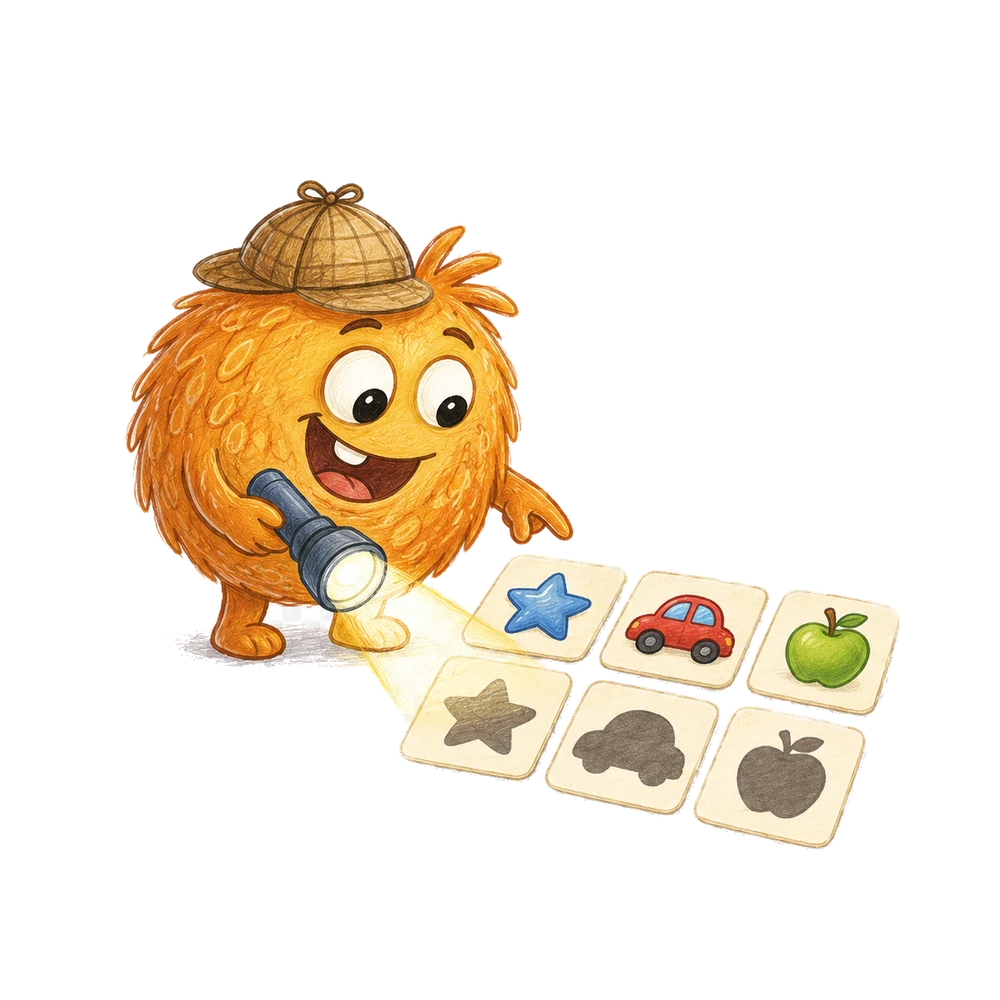
A screen and a set of cards can both offer a matching choice, but their controls, feedback, and preparation differ. Start with a clear rule and choose the representation that the child can access.
Two ways to make a matching choice
A touchscreen activity can present a picture and ask the child to select a matching picture on a screen. Physical matching cards let the child move or point to cards on a table. Both can support a clear matching question, but the ways to access, move, and check the choices differ.
For example, show a picture of a red circle as the model and offer two choices: another red circle and a blue square. If the rule is to match both color and shape, the red circle is the match. State that rule before asking the child to choose.
The examples describe possible activities, not features promised by every app. Check the actual screen for its instructions, input options, audio, feedback, and privacy controls. A child can participate with adult help or an accessible alternative when needed.
A match is defined by a rule. Two cards can match in shape while differing in color; two other cards can match in color while differing in shape. The child needs to know which feature matters before a choice is assessed.
A screen may present that rule in text, speech, symbols, or another format. With physical cards, the adult and child can agree on it together. Check that the format used in either case is understandable to this particular child.
A matching task can be playful without requiring a score. The child may explain, point, or ask an adult to compare the items. The adult's role is to keep the agreed rule clear and help the child access the choices.
Comparison at a glance
Preparation: physical cards require suitable images or objects and a place to lay them out. A touchscreen needs a working device and an activity that offers the intended choices. The time and cost depend on what the family already has.
Interaction: a child may touch, point to, or move a physical card. A screen may respond to a tap or another supported input; exact controls depend on the device and activity. An adult can help either way after confirming the child's choice.
Feedback and changes: an app may provide immediate feedback, but its meaning and availability vary. With physical cards, an adult and child can compare the model and choice directly and change the set. Neither method guarantees that feedback is accurate or understood.
A screen can change its content after a selection, while physical cards remain on the table until someone moves them. This affects how easily the child can revisit the original choices. Some digital activities may offer a back or replay control; verify whether the one being used does.
Physical cards can be spread out and rearranged, but they can also be lost, covered, or placed beyond reach. Neither representation is automatically more accessible. Compare the actual layout and the child's preferred way to respond.
Prepare a physical matching example
Make a model card showing a red circle. Prepare two choice cards: one red circle and one blue square. Use clear outlines and enough contrast. Explain that the match should have the same color and the same shape as the model.
Place the choices far enough apart to see and reach. Ask the child to point to the match, move it beside the model, or indicate their choice in another familiar way. An adult can move a card if the child requests help.
If color is not accessible, use a rule based on shape or another feature the child can distinguish. Do not require a color judgment that the materials or the child's access method do not support.
Before starting, check that the two red circles really look alike under the chosen rule. If one has a pattern and the other does not, a child might reasonably notice a difference. Decide whether the pattern matters or use simpler cards.
The blue square is intentionally different in both color and shape. That makes the first choice easier to distinguish, but it does not show which feature the child used. A later example with separate color and shape distractors can explore that question.
Prepare a touchscreen example
Choose an actual activity and inspect what appears on the screen. Does it show a model and multiple choices? Does it ask for the same shape, the same color, or both? Read or hear the instructions before inviting a response.
Check whether the child can access the controls comfortably. A device may support touch, a switch, an accessibility setting, or adult assistance, but not every activity supports every input. Test the specific setup with the child's preferences.
If no suitable activity is available, the physical-card example remains complete. Do not promise a particular feature, level, or prompt without verifying it in the chosen product.
Hold or position the device so the child can see the whole task without having to maintain an uncomfortable posture. If a case or stand is used, make sure it is stable. Ask the child whether the position and sound are comfortable.
Some activities advance automatically after a tap; others wait for confirmation. Observe the actual behavior before interpreting a selection. If the activity changes before the child can explain, an adult can ask afterward what they intended.
If the activity includes background music, check whether the child finds it comfortable and whether the device offers a way to adjust it. Do not assume a mute control exists in every application.
A family can stop the screen activity if a sound, animation, or layout is unpleasant. The same matching rule can be explored with physical cards when that format is accessible and desired.
A conversation with physical cards
Adult: “This model is a red circle. We are looking for a card with the same color and shape. Which one would you like to choose?” Child: points to the red circle. Adult: “You chose this one. Let's compare it with the model.”
Place the two cards side by side and observe that both are red circles. The blue square differs in both features. If the child chose it, ask what they noticed and repeat the rule rather than assuming why they chose it.
A child may respond by naming a feature, using a communication device, or asking an adult to move a card. The adult can confirm the selection before acting.
The child may say, “Both are round,” or point to the red color. Confirm the observation and return to the agreed rule: “For this round we are checking color and shape.” The child can inspect both features.
If the adult reads the directions and identifies the model's features, that support should be part of any description of the response. It is still a meaningful choice, but it is not the same task as an unsupported identification.
If the child points between two cards, ask which one they intended rather than choosing for them. Move the cards farther apart or offer them one at a time if that matches their preferred way of choosing.
Once the child confirms a selection, place it beside the model only with their agreement. A child who wants to inspect the card in its original position can compare it there.
A conversation with a screen
Adult: “Let's read what this activity asks.” Suppose the verified instruction is to find the same shape. The model is a circle, and the choices include a circle and a square. The child selects the circle using an available input.
If the activity provides feedback, observe what it actually says or shows. A sound or animation may indicate a result, but its meaning should not be assumed if the interface does not explain it. An adult can compare the shapes with the child.
The screen example may use a different rule from the physical example. If one task asks for shape only and the other asks for both color and shape, their results cannot be treated as direct equivalents.
If the child selects a square and the interface marks it as incorrect, the adult can ask which feature the child intended to match. A red square might match a red model by color even when the activity asks for shape.
If the screen's directions are unclear or the available choices do not support the stated rule, stop and inspect the task. The adult should not invent an explanation for an unexplained result.
Common mistake: changing the rule
A red circle and a blue circle match by shape but differ by color. A red circle and a red square match by color but differ by shape. Before asking for a match, specify whether the relevant feature is color, shape, or both.
A child who selects the red square may be following a color rule, even if the adult intended shape. Ask what they noticed and explain the intended rule. The response may make sense under a different condition.
On a touchscreen, the app's rule might be fixed. Read its directions and check its feedback; do not replace the app's rule with an adult's assumption about what the pictures ought to mean.
An open-ended question such as “Which is the same?” can be ambiguous when the choices share different features with the model. Replace it with a concrete direction, such as “Find the same shape,” or explain that both color and shape matter.
When the child suggests a different rule, try it as a separate round if everyone wants to. Under a color-only rule, the red square can be a match; under a shape-only rule, the blue circle can be a match.
Common mistake: treating a tap as a clear choice
A child may touch the wrong part of a screen because choices are small, the device moves, or their hand contacts the surface unintentionally. A physical card can also be bumped or moved accidentally.
Ask whether the selected item was intended, using the child's usual way of confirming. If the interface immediately advances, note that the resulting state may not reflect a deliberate choice.
Adjust the layout or input if the device and activity permit it. If the controls are not accessible, use another representation or activity rather than drawing a conclusion from an accidental selection.
A child may also intend to tap one card but select another because the screen has not finished responding. The adult can ask whether they want to keep the selection or try again, if the activity permits another attempt.
Do not assume every repeated tap indicates confusion. It might be a request for the device to respond, an accidental contact, or a deliberate action. Ask and observe the actual interface behavior.
Make the task easier
Use one model and two large choices that differ clearly in one agreed feature. For a shape-only rule, show a circle model, another circle, and a square, with color held constant if possible.
An adult can name the shapes, read the instruction, or move a card at the child's direction. These supports may change the task, so describe them when discussing what happened.
One choice is enough for an initial activity. The child may stop, ask for a demonstration, or choose a different material.
For a first physical example, use two choices with the same color but different shapes. The child can focus on shape without needing to decide whether color is part of the rule.
If even two choices are not comfortable, show the model and one matching card as a demonstration. Let the child decide whether to continue. A demonstration with adult explanation is not an unsupported matching test.
Add a next step
When the child wants a challenge, offer choices that separate the features: a red circle model, a red square, a blue circle, and a red circle. If the rule requires both color and shape, only the red circle matches both.
Ask the child what they noticed: “This one has the same color, and that one has the same shape.” The final choice must satisfy the stated rule. A different rule could make another answer valid.
On a screen, use this comparison only if the chosen activity actually presents those options and rules. A family can create the example with physical cards when the screen does not offer it.
After the child chooses among the three cards, compare each possible answer with the model. The red square shares color only; the blue circle shares shape only; the red circle shares both. Pointing to each feature makes the rule testable.
For a nonvisual or color-inaccessible version, choose features that the child can distinguish and explicitly agree on them. The added complexity should come from the rule, not from an inaccessible presentation.
Physical feedback and screen feedback
With cards, place the model and selected card side by side. Describe the features: “Both are circles; these two are red.” The child can inspect the comparison and change their choice if they wish.
An app may highlight a choice, play a sound, or display a message. Check what the actual feedback means. A sound that is surprising or uncomfortable can be muted only if the device or activity provides an appropriate control.
Feedback does not explain every reason for a response. If the child selected a shape because of color, an adult can ask and clarify the rule. A correct-looking animation alone does not establish the child's reasoning.
When physical cards are used, an adult may make a mistake while describing a shape. If the child notices, inspect the cards together and correct the explanation. The physical format does not make every adult comment automatically reliable.
A screen can provide consistent feedback according to its programming, but a mismatch between the instructions and feedback should still be examined. The family can choose another activity if the rule remains unclear.
Access to touch and movement
Some children can tap a screen directly; others use a stylus, switch, communication device, or adult assistance. Availability depends on the device and application. Ask what the child uses successfully rather than assuming one input works for everyone.
Physical cards can be enlarged, spaced apart, or placed on a contrasting background. A child may point or direct an adult instead of moving them. Cards that slide or overlap may need a more stable surface.
A support can change what the task measures. If an adult names each choice, the child receives spoken information as well as the images. That is a valid way to participate; describe it accurately.
A screen with small targets may be harder to use than large cards for one child, while another child may prefer a familiar device or switch interface. These are individual observations, not universal rankings.
Check whether the child can distinguish the model from the choices. A stable layout, adequate spacing, and a clear explanation can help in either format, but the exact adjustment should be selected with the child.
Privacy and device setup
Before using a new app, a family can inspect what information it asks for and what controls are available. This comparison does not require a child to create a profile, record their voice, or share a photograph.
Physical cards can be made without names or personal details. If a family saves a screenshot or a drawing, they can decide where it is stored and who may see it.
Use the device settings and the activity's actual policies to make choices appropriate for the family. Do not assume that every touchscreen activity works offline or collects the same information.
A family making cards can avoid adding names to the images. If a card contains the child's own drawing, ask whether they want it saved or shown to someone else. A photograph is optional.
For an app, review the actual account and storage choices before entering information. The matching question itself does not require sharing a child's personal details in the example described here.
Two children sharing an activity
With physical cards, each child can have a set or agree to take turns choosing from one set. On a shared device, agree who selects an option and how the other participant can see or hear the instruction.
If the children need different input methods, a single shared setup may not work equally well. They can use separate materials or take different roles, such as choosing and moving a card.
Avoid ranking the children by speed when their access and support differ. Ask each child what they noticed and what they would like to try next.
If a shared screen allows only one selection at a time, decide how each child will choose and what will happen after the activity advances. A child may prefer to observe or use physical cards separately.
With cards, participants can compare two choices side by side without removing either child's idea. Agree on the rule first and listen if they use different features to explain their selections.
What a useful observation looks like
A note might say: “An adult read the shape rule; the child pointed to the circle card.” Another might say: “The child tapped a red circle after the app displayed a matching prompt.” Include the actual instruction and help when known.
A correct choice in one layout does not prove that the child will match every shape or use every device independently. Small changes in rule, contrast, or input can change the task.
Keeping a note is optional. The child can finish after one choice, keep the cards for another day, or choose a different activity.
A note about a screen can include whether an adult read the prompt, whether a touch was confirmed, and what feedback appeared. A note about cards can include whether the child moved a card or directed an adult.
Avoid comparing counts of correct choices across different rules and supports as if they measured the same task. A family can still use the observations to decide which setup felt clearer.
Continue on BrainHunters
If the child wants to explore shapes on BrainHunters, visit the shapes activities together and inspect the chosen activity's actual directions and controls.
The examples in this article do not guarantee that any specific activity contains the same red-circle choices, audio, feedback, or accessibility settings. Use the materials and support that fit the child.
If the selected activity offers a different task, follow its own directions rather than forcing the physical-card example onto it. The child can stop or return to the table cards if that representation is more comfortable.
A family can also explore shapes without a screen. The website is an optional continuation, not evidence that a particular device feature is available.
Helpful answers
Does a correct tap prove a child understood the rule?
Not necessarily. Ask what they noticed and consider whether the tap was deliberate and what support was provided.
Do all touchscreen activities have audio or the same controls?
No. Check the actual activity and device for the features and accessibility options available.
Can an adult move a physical card for a child?
Yes. Confirm the child’s choice and move the card at their request.

Turn a little idea into an adventure.
Try a short activity together, then bring the discovery back into your day.
Letters and early reading practice