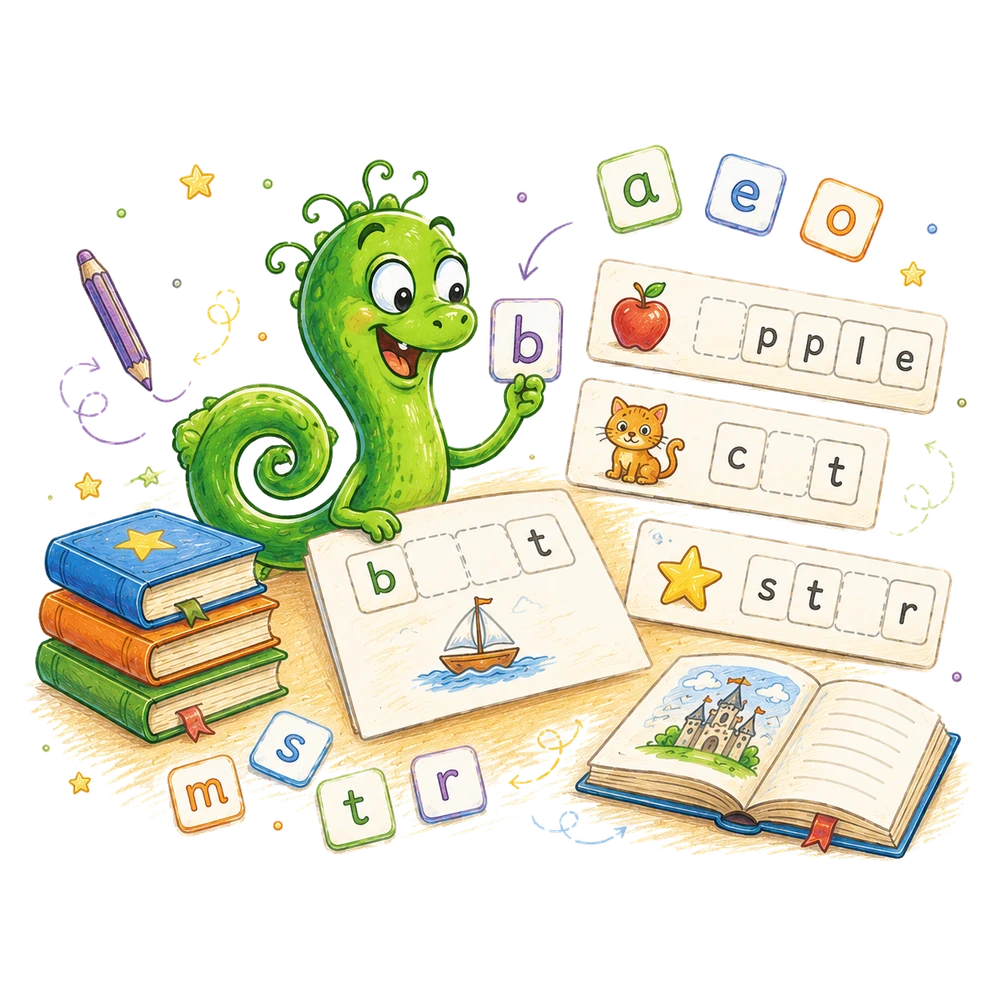
A family with two learners does not need to turn progress into a race. A report can help a parent remember what one child tried and choose an appropriate next activity, provided the numbers are read in context. This guide explains what the BrainHunters figures count, how to discuss them with children, and how to plan separately for each learner.
Start with one child and one useful question
A report is most helpful when it helps an adult choose what to do next for the learner named on it. Before opening one, choose a question you can act on: “Would a smaller set of letter cards make the next activity easier?” or “Should we repeat the same number game with real objects?” This focus keeps the conversation about an individual child's experience rather than a contest between siblings.
Suppose Ava likes naming shapes while her brother Leo returns to counting games. A comparison of their totals cannot tell you which child understands more: they may have tried different activities, spent different amounts of time, or received different kinds of help. Review Ava's report for Ava's next step and Leo's report for Leo's next step. Their plans do not need to look identical.
In BrainHunters, reports belong in the parent area and require parent access. Open the intended child's report privately, check the learner and language displayed, and use the information as a practice record. It is not a diagnosis, a standardized test, or a full picture of the child's learning at home or school.
Check whose work and which language you are viewing
On a device shared by siblings, verify the selected learner before interpreting any numbers. If Leo played while Ava's profile was open, some attempts may appear in Ava's history. Note the possibility and check the profile at the next handoff. Do not assume that the service can transfer or remove an individual attempt; use only the options actually available in your account.
The report is filtered by the selected language. A family that uses English and Spanish may see different practice records when it looks at different language versions. A quiet report in one language does not establish that the child has done no learning in the other. Confirm the language before deciding what an empty or short history means.
If two adults supervise at different times, ask what happened during the relevant activity. One might have read the prompt aloud, while the other may have let the child respond independently. Write a brief contextual note for yourself if it will change the next session: “We used three blocks and I read the question.” A record without that context is easy to overinterpret.
Attempts and completed tasks answer different questions
An attempt records a response to a task. The accuracy figure is the proportion of recorded attempts marked correct, rounded to a whole percent. Completed tasks count distinct task IDs with at least one correct attempt. Repeating a task can therefore add attempts without adding another distinct completed task. These measures describe different things; neither is a simple measure of intelligence or potential.
For example, imagine four recorded responses: a child answers one task incorrectly, then correctly, and answers a second task correctly twice. Three of the four attempts are correct, giving 75% accuracy. Two distinct tasks have a correct response, so the completed count is two. The second correct answer to the same task is another successful attempt but does not create a third distinct completed task.
This example is arithmetic, not a target for your family. A repeated task may mean the child was practicing, enjoying familiarity, or responding after an adult gave a hint. The report does not tell you which explanation applies. Ask what occurred before deciding whether to offer a new challenge, repeat the task with less help, or stop for the day.
Read a small number of attempts carefully
A percentage can move dramatically when only a few answers are recorded. If a child answers one of two attempts correctly, the displayed accuracy is 50%. If the next attempt is correct, the same set becomes two correct answers out of three, or about 67%. That change alone does not prove that a skill suddenly improved; one response has a large effect because the sample is small.
Look at the number of attempts alongside the percentage. Then ask a specific follow-up question: “Could the child identify the two shapes when we used paper cutouts?” or “Did the instruction make sense without my pointing?” A short observation can reveal whether the next useful change is to the material, the explanation, or the amount of help.
Do not make an activity harder solely because a small percentage looks high, or label a child as struggling because a small percentage looks low. Check what the child can explain or demonstrate in a fresh, low-pressure example. If the answer varies, keep the activity small and revisit it later instead of drawing a broad conclusion from a handful of taps.
Use the seven-day view as a timeline
The report's daily view covers seven UTC calendar dates. A session close to midnight in your local time may appear under a neighboring date, depending on your time zone. If the family expects to see Tuesday's practice under Tuesday and the date looks different, check the stated time zone before assuming that a session is missing.
The daily figures can show attempts, unique correctly completed tasks, estimated minutes, and experience points for each date. They are useful for reconstructing a pattern of activity: perhaps the family tried a short session on Saturday and none on Sunday because they were away. A blank or low day is not, by itself, evidence that a child failed to practice or that a family routine needs fixing.
When looking at a busy week, compare the record with what you remember. A child may have counted spoons while setting the table or discussed a picture book without using the app. Those offline experiences do not automatically appear in the report. Treat the daily view as an account of recorded app activity, not a complete calendar of learning.
Understand the estimated time
The report describes learning time as an estimate, with time for an individual activity capped at two minutes. A child who leaves a task open while finding a pencil will not necessarily have all that waiting time reflected in the estimate. Likewise, discussion before opening an activity and practice after closing it are outside the recorded app time.
If one child has more displayed minutes than a sibling, you cannot conclude that the first child worked harder. The children may have used different activities, received different amounts of help, or played on different days. A longer estimate does not tell you whether a session was enjoyable, interrupted, independent, or difficult.
Use the time figure only as a clue to investigate a practical question. If a child says a session felt too long, notice when attention fades and offer a natural stopping point next time. The child's response and your observation matter more than meeting a minutes target. If an adult reads slowly or pauses to discuss a picture, that conversation can be valuable even when the report cannot describe it.
Read a skill row without turning it into a label
A skill row groups attempts associated with a particular skill and shows measures such as attempts, completed tasks, and accuracy. Read the skill name first. Then ask whether the child understands the kind of action involved: matching a letter, comparing groups, or recognizing a shape. A row is a description of recorded tasks in that group, not a permanent label for the child.
Suppose a number-comparison row has several incorrect attempts. Before assigning more practice, show two small groups of buttons and ask which group has more. If the child points correctly but struggles with the on-screen wording, read the instruction together next time. If the child counts both groups and loses track, arrange the buttons in rows and try again with fewer items.
If the child succeeds with objects but not in the app, consider what differs: the images, the prompt, distractions, or familiarity with tapping. If the child finds both versions hard, reduce the size of the groups and model one comparison. Neither situation calls for comparing the row to a sibling's percentage. The useful outcome is a more appropriate next example.
Treat an automatic recommendation as a starting point
The current report can suggest practice for up to three skills when a skill has at least three attempts and recorded accuracy below 70%. That rule selects candidates from the existing data; it does not establish why answers were incorrect or identify every area where support might help. A skill with fewer attempts can still need attention, and an automated suggestion can be less relevant than what you observed.
Read a suggestion alongside the task and the child's response. If the report proposes practicing shapes, ask whether the child had trouble recognizing the shape, understanding the words, or using the device. Choose a short example that tests one possibility. A triangle cut from paper, rotated on the table, can reveal a different difficulty from a touchscreen tap on a crowded picture.
If a recommendation does not fit the child's current interests or needs, it is reasonable to set it aside. Choose a different activity and revisit the suggestion when you have more context. Do not tell one sibling that the other has fewer recommendations; the number depends on recorded attempts and the rule used to generate them, not on a ranking of children.
Turn a recent attempt into a neutral question
Recent activity can help you remember what was practiced. Pick one recognizable task and ask, “What did you notice in that picture?” rather than “Why did you get this wrong?” A child may remember using a strategy that the result alone cannot show, or may tell you that someone else tapped the screen.
If the child does not remember, recreate the underlying idea with real materials rather than demanding an explanation of a past tap. For a matching task, place a few cards on the table and ask the child to find a pair. Watch whether the child scans the pictures, names them aloud, or points quickly. Stop after enough examples to decide what kind of help would be useful.
Keep your language descriptive. “You tried the smaller group first, then counted both groups” identifies an action. “You are bad at numbers” turns a single outcome into a judgment. A child can disagree or decline to discuss an attempt; the adult can still plan a gentler next activity without making the report a cross-examination.
Plan two separate follow-up activities
Imagine that Ava's report shows repeated attempts at matching uppercase and lowercase letters. In the next session, make three pairs on paper: A and a, M and m, S and s. Name each letter with the child, turn the cards face up, and ask Ava to find a pair. If Ava chooses A and m, point to the uppercase M and say, “This small m goes with this big M. Let's find another pair.”
Leo's report, meanwhile, may show several attempts involving groups of objects. Give Leo two plates with two crackers on one and three on the other. Ask which plate has more, then move each cracker from the smaller plate beside one from the larger plate. The unpaired cracker gives a visible reason for the answer. Do not use the food if allergies or the family's preferences make it unsuitable; blocks work equally well.
Neither activity is a prize or a penalty based on a report. Each follows a separate question from a separate record. Write down what happened in ordinary words: “Ava matched two pairs after naming them” or “Leo paired the objects before answering.” Those observations support tomorrow's choice without forcing the children into the same lesson or the same pace.
Make a useful note without collecting a dossier
A small note can connect a report to an action: date, activity, what the child did, what help was given, and one possible next step. For example: “Thursday: three letter pairs; pointed to the first pair together; next time offer two familiar pairs and one new pair.” This is enough to remember the context without turning family life into continuous assessment.
Avoid copying private account details, PINs, or a full report into a note intended for a babysitter or a shared family calendar. If another caregiver needs to help, share the activity plan and the level of support requested. Decide separately whether that person needs access to the protected parent area and follow your family's account-security arrangements.
Review notes occasionally and remove details that no longer help with a decision. A list of every wrong answer can invite the very comparisons you are trying to avoid. Keep an observation only if it helps explain what to offer, what to simplify, or what to ask the child. The record should serve the relationship and the next learning opportunity.
Respond when a child asks about a sibling’s numbers
A child may notice that a sibling has more points or a higher visible total. Acknowledge the observation without pretending the numbers are identical: “Those numbers count things done in the app. You each have your own activities, and we can look at what you want to try next.” Do not promise that the figures reflect equal time, equal difficulty, or equal help.
If the child asks, “Am I behind?” ask what they mean. They may want the same activity, feel left out, or think an older sibling's level is a required destination. Offer a concrete next step within their own activity: “Let's find the letter you want to practice today.” Acknowledge disappointment if a requested activity is not currently available.
Families can also agree on how to talk about reports. A parent might keep individual details private and celebrate actions both children can recognize, such as explaining a strategy or trying a new activity. That does not require withholding every result from the child concerned. It means choosing a conversation that helps the learner rather than putting two profiles side by side.
When an activity goes poorly despite a strong-looking report
A high accuracy figure can coexist with a difficult afternoon. The child may be tired, the task may use unfamiliar wording, or earlier answers may have involved adult help. Ask whether the current task makes sense and whether the child wants to try an example together. A report from previous sessions cannot tell you how the learner feels right now.
If the child becomes frustrated, reduce the task to one visible choice or pause. For example, instead of presenting six letter cards, place two on the table and name them together. If the child is ready, invite one match. If not, stop and try a different activity later. Do not use the old percentage as evidence that the child should be able to continue immediately.
Afterward, consider what changed between the earlier attempts and the difficult one. Were the instructions longer? Did the child have less sleep? Was the room noisier? These are questions to investigate, not diagnoses. A useful adjustment may be as small as reading the prompt aloud once or moving the materials away from a distracting screen.
When a low figure does not match what you see
A low recorded percentage can include early trial and error or a misunderstanding of the interface. A child may understand which set has more but tap the wrong area of a small screen. Ask them to show the answer with blocks, then watch an app task together. If pointing to the objects works while tapping is confusing, address the interface step before adding harder number work.
Check whether the report has enough attempts to support even a tentative observation. If the child has answered only a few questions, the next useful step may be to gather a little more context over several comfortable sessions. Do not repeat a task endlessly to force the percentage upward; practice should remain meaningful to the learner.
If concerns persist across different settings and activities, discuss your observations with someone who knows the child in an educational or professional context. Share specific examples and the support you tried rather than presenting the app percentage as a diagnosis. A report can help you describe what you noticed, but it cannot replace an individual assessment.
A short weekly review for a busy family
Choose a regular moment when the children are occupied elsewhere, such as after bedtime on Sunday. Open the first learner's report and verify the name and language. Look for one skill or recent activity worth discussing, note the number of attempts, and recall how much help was involved. Choose a small next action, then close or lock the parent area when finished.
Review the second learner separately using the same questions, not the first child's numbers as a benchmark. One child may benefit from a familiar matching game and the other from making a story with picture cards. If there is too little information to make a choice, simply ask the child what they enjoyed and observe the next session.
The review need not produce a new plan every week. If the existing activity is working, keep it. If the family was away and there are few recent attempts, resume when convenient. A consistent, modest review is more useful than a long meeting in which adults infer detailed abilities from numbers they cannot interpret in context.
Check experience points against what they actually represent
Experience points are awarded for recorded activity and can accumulate over time. They are useful as a feature of the app, but a total does not tell you how independently a child solved a task or how well they can use an idea with different materials. A learner who has had access to the device for longer may have more points simply because more attempts were recorded.
If a child is motivated by points, connect the reward back to a specific learning action: “You counted each block once before choosing.” If the points become a source of tension between siblings, keep the parent discussion focused on each child's own activity and offer turns that fit your household. Check what the report shows before explaining any particular reward; do not infer a detailed achievement from the total alone.
Continue the practice away from the report
Use the report to select a question, then return to the child's activity or a simple object-based game. For a learner interested in shapes, explore shapes on BrainHunters and then find a triangle in a drawing or a paper cutout. For a learner exploring quantities, try number activities and compare two groups of household objects.
After the activity, ask the learner what they noticed and record only the detail that will help you choose the next example. If the next report looks different, consider the new attempts and the circumstances before interpreting the change. Each child's record is a tool for that child's learning, while the adult's role is to listen, protect private information, and provide a suitable next opportunity.
Helpful answers
Does higher accuracy mean one sibling is a better learner?
No. Accuracy summarizes recorded attempts, which may involve different tasks, time, and help. Review each child’s experience in context.
Does the report count all learning at home?
No. It records app activity for the selected learner and language; offline games and conversations are not automatically included.
Are report dates in my local time zone?
The daily report uses UTC dates, so an activity near local midnight can appear on a neighboring date.

Turn a little idea into an adventure.
Try a short activity together, then bring the discovery back into your day.
Letters and early reading practice